Step 1: Access the Workspace and Initialize Your Account
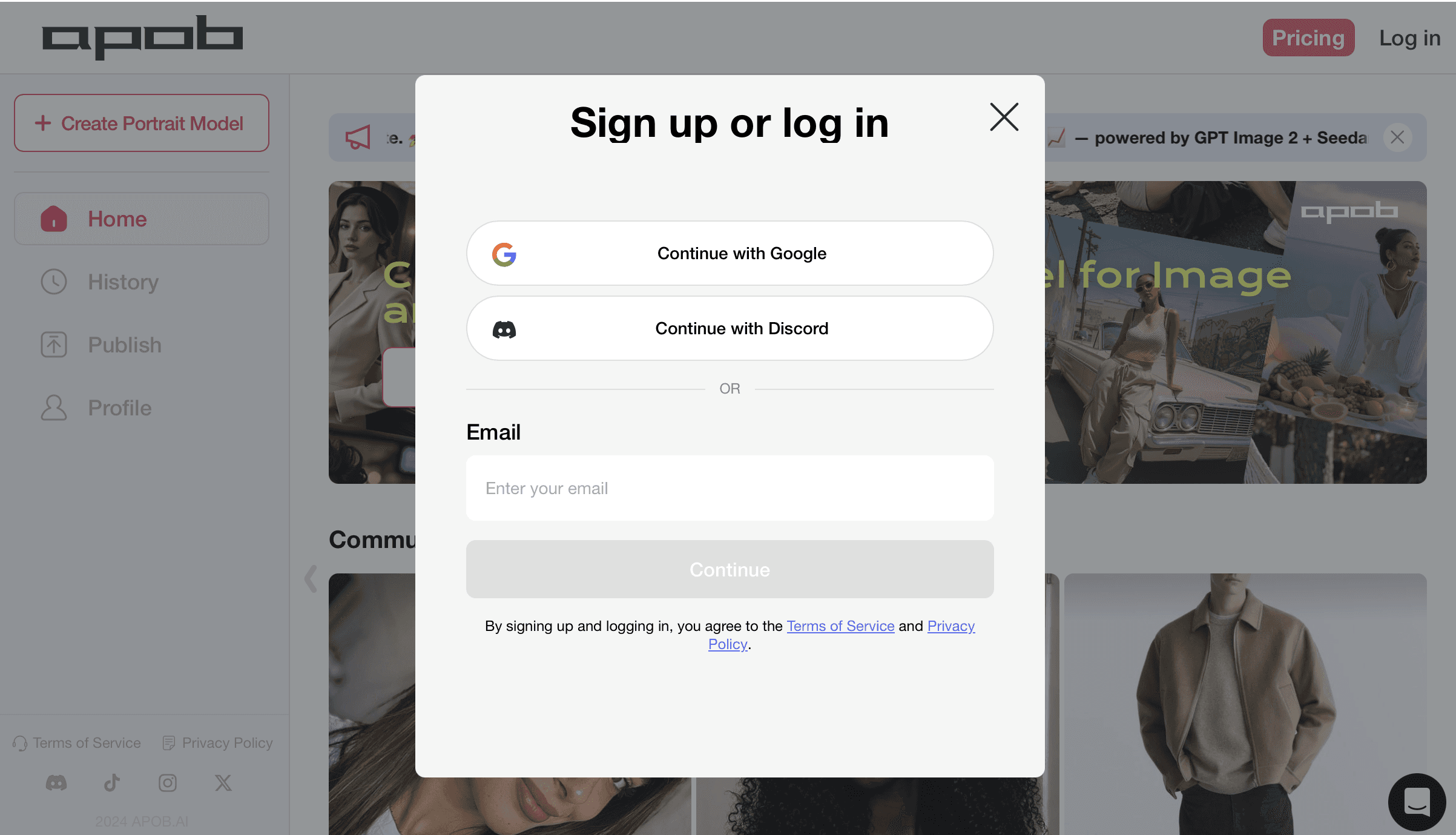
Before deploying advanced spatial vectors or camera choreography, you need to initialize your creative sandbox. Setting up your secure profile ensures all custom characters, rendering credits, and multi-shot campaign assets remain private and saved within your personal creator workspace.
How to do it: Navigate to the APOB AI platform interface as shown. Click the "Log in" or "Pricing" anchors to trigger the secure Sign up or log in terminal block. From here, you have three frictionless onboarding paths: select [Continue with Google] or [Continue with Discord] for instant one-click authentication, or manually type your active email handle into the input field and press the [Continue] button. Once authenticated, you will instantly unlock your workspace dashboard, activate your daily allocations of motion control AI free credits, and gain immediate entry to the Kling 3.0 Motion Control engine to begin producing high-retention short-form clips.
Step 2: Establish Your Core Digital Identity or Upload Your Reference Persona
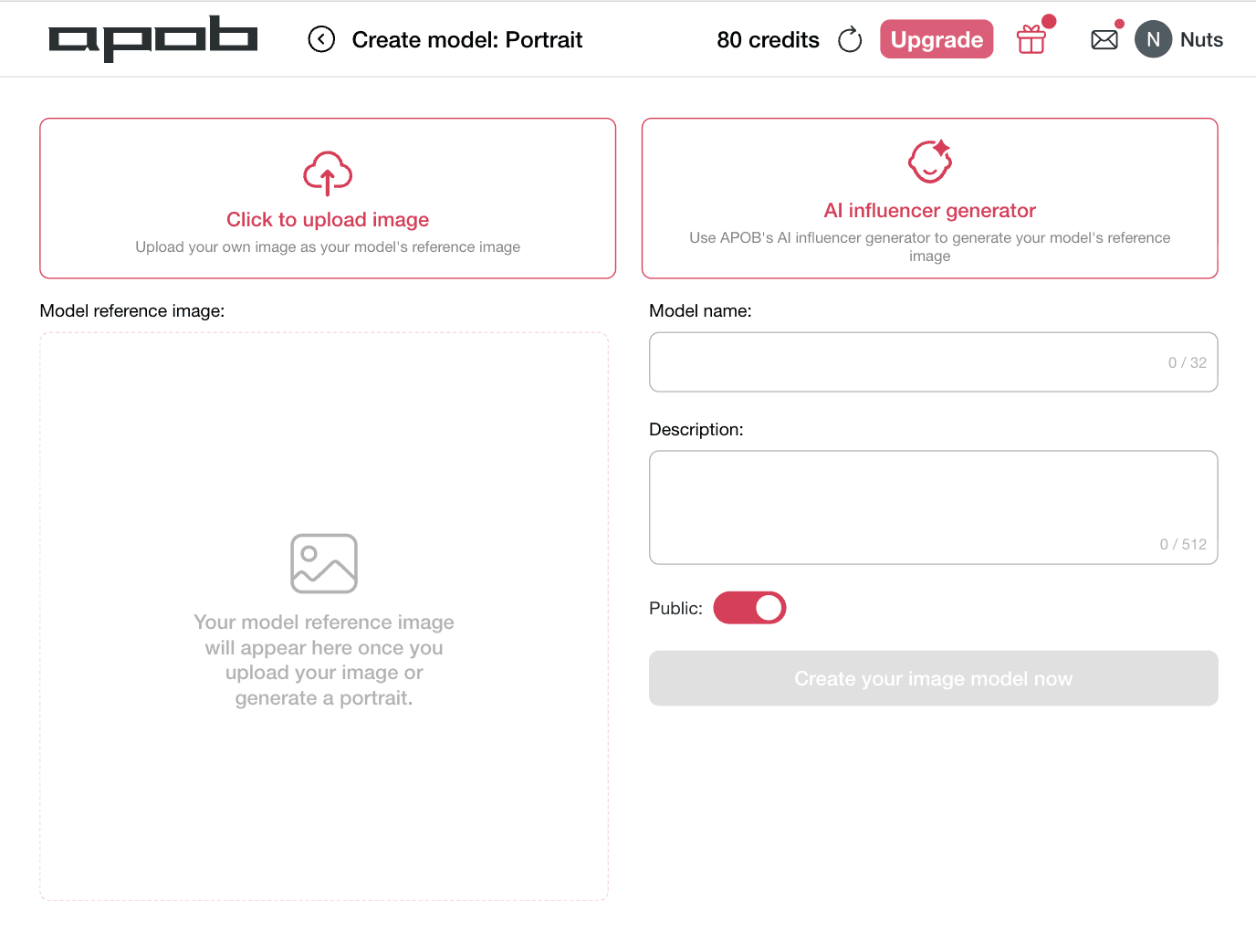
To create a high-converting video campaign with flawless structural continuity, you must anchor your character's facial framework before applying complex choreography. This critical phase locks your character's facial features into the rendering matrix, preventing the identity warping that typically ruins standard generation pipelines when characters turn or change expressions.
How to do it: Navigate to the Create model: Portrait workspace as shown. You have two distinct creation options based on your workflow needs. To animate a specific real-world spokesperson or licensed talent, select the left box marked [Click to upload image] to input your own custom reference file. Alternatively, if you want to build a completely unique digital brand ambassador from scratch, click the right option marked [AI influencer generator]. Move over to the right configuration menu to assign a custom moniker under Model name and write specific aesthetic details within the Description block. Toggle your visibility preference to public or private using the Public switch, and click [Create your image model now]. This establishes a persistent, identity-locked face model that is fully primed for high-performance Kling 3.0 Motion Control workflows.
Step 3: Initialize Your Asset Grid and Configure Motion Constraints
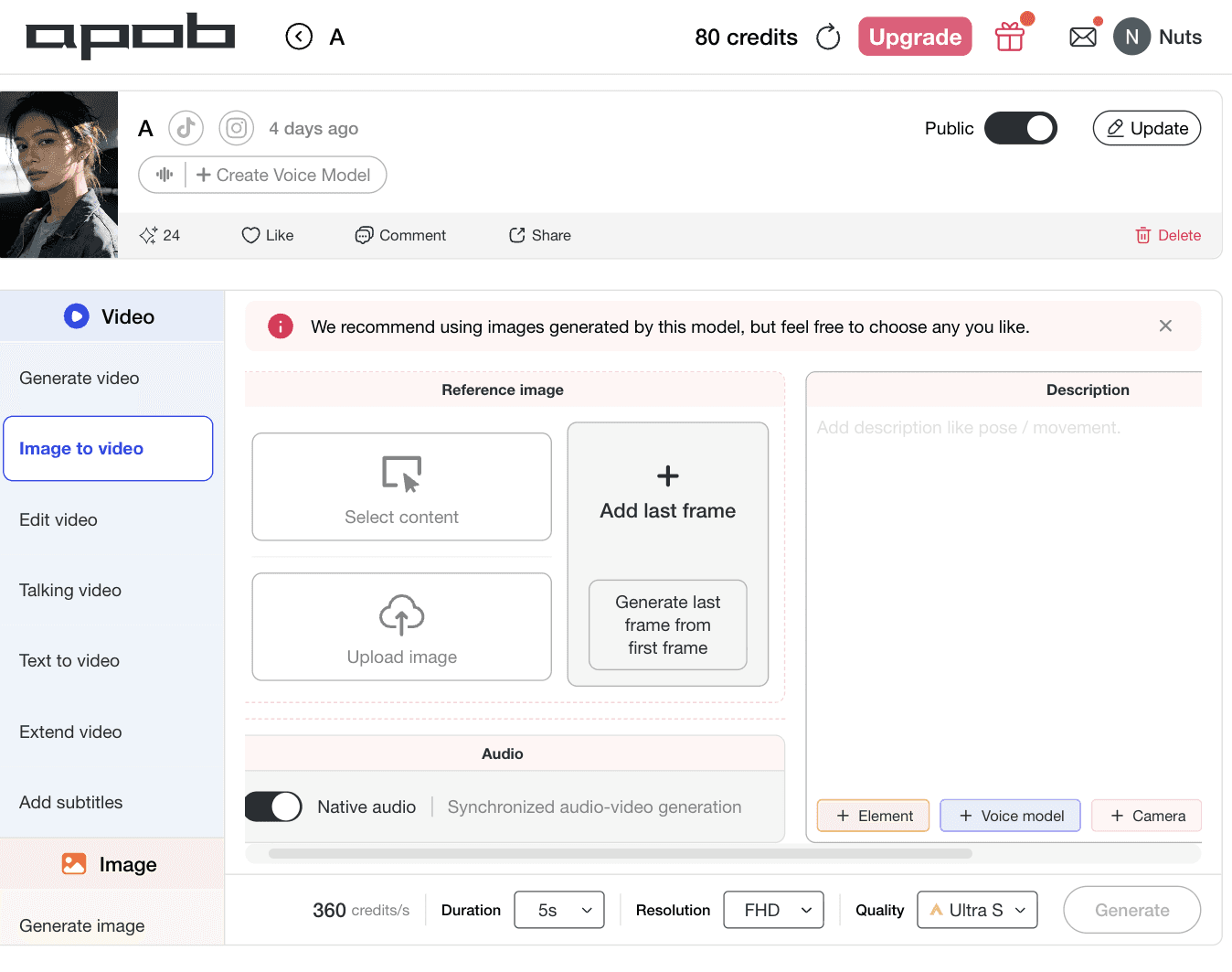
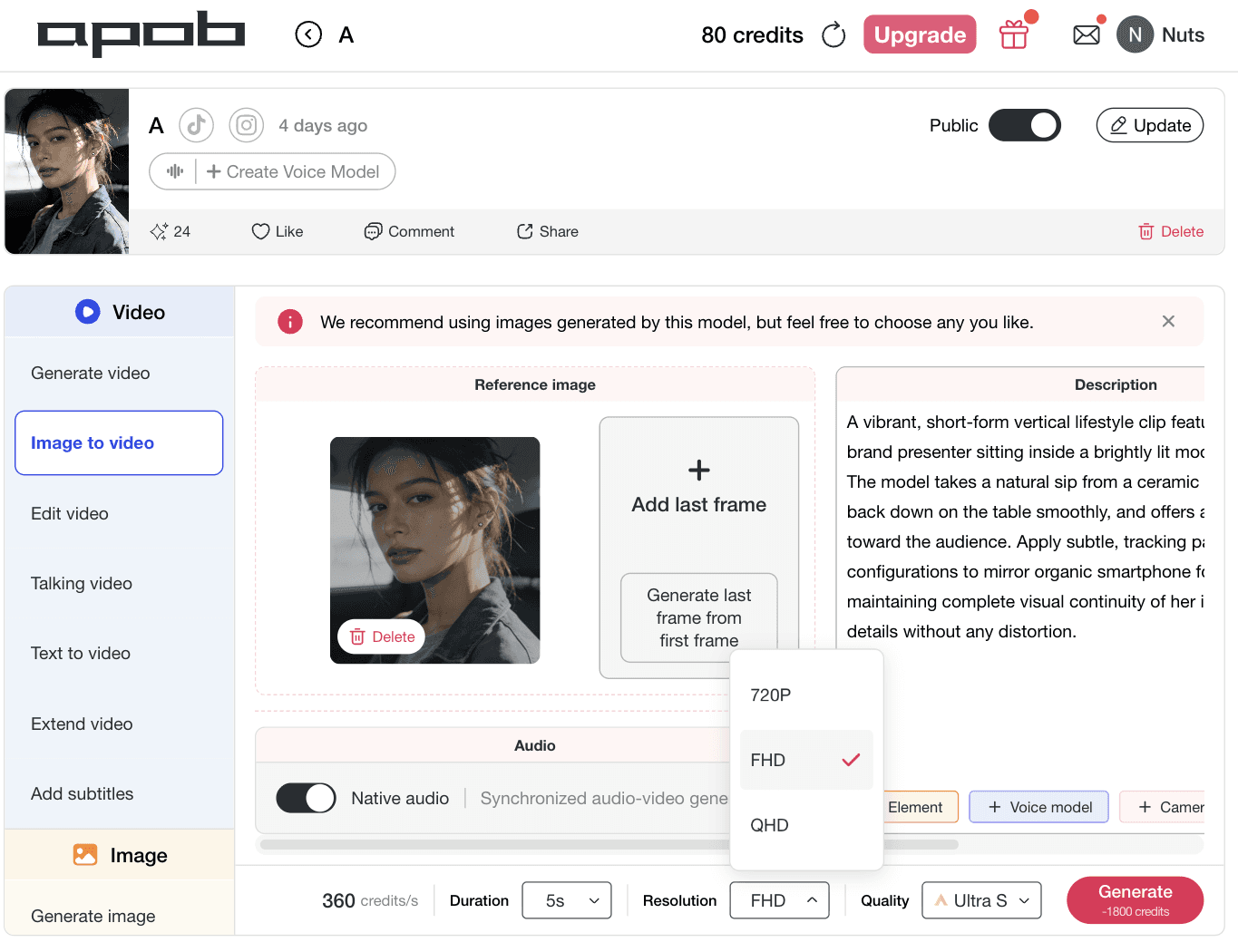
Building high-converting multi-channel content requires granular command over camera movement and character behavior. Instead of dealing with erratic visual warping or randomized renders, you begin inside a unified layout built specifically to regulate keyframe behavior. This essential step serves as your baseline dashboard for the motion control AI video generator, allowing you to lock down ambient background properties before initiating high-fidelity animations.
How to do it: Navigate to your creation console and select the Image to video tab from the left sidebar as displayed. Within the central Reference image module, choose your workflow path: hit [Select content] to choose an existing digital presenter from your library, or click [Upload image] to bring in a fresh, consistent character file. If your narrative arc requires absolute endpoint positioning, use the [Add last frame] section or tap [Generate last frame from first frame] to establish predictive keyframe parameters. Move over to the right panel to script your specific motion vectors, add environmental details, or activate precise camera properties like zoom, pan, orbit, dolly, and tilt using the automated + Camera modifiers.
Step 4: Establish Clip Duration and Map Advanced Motion
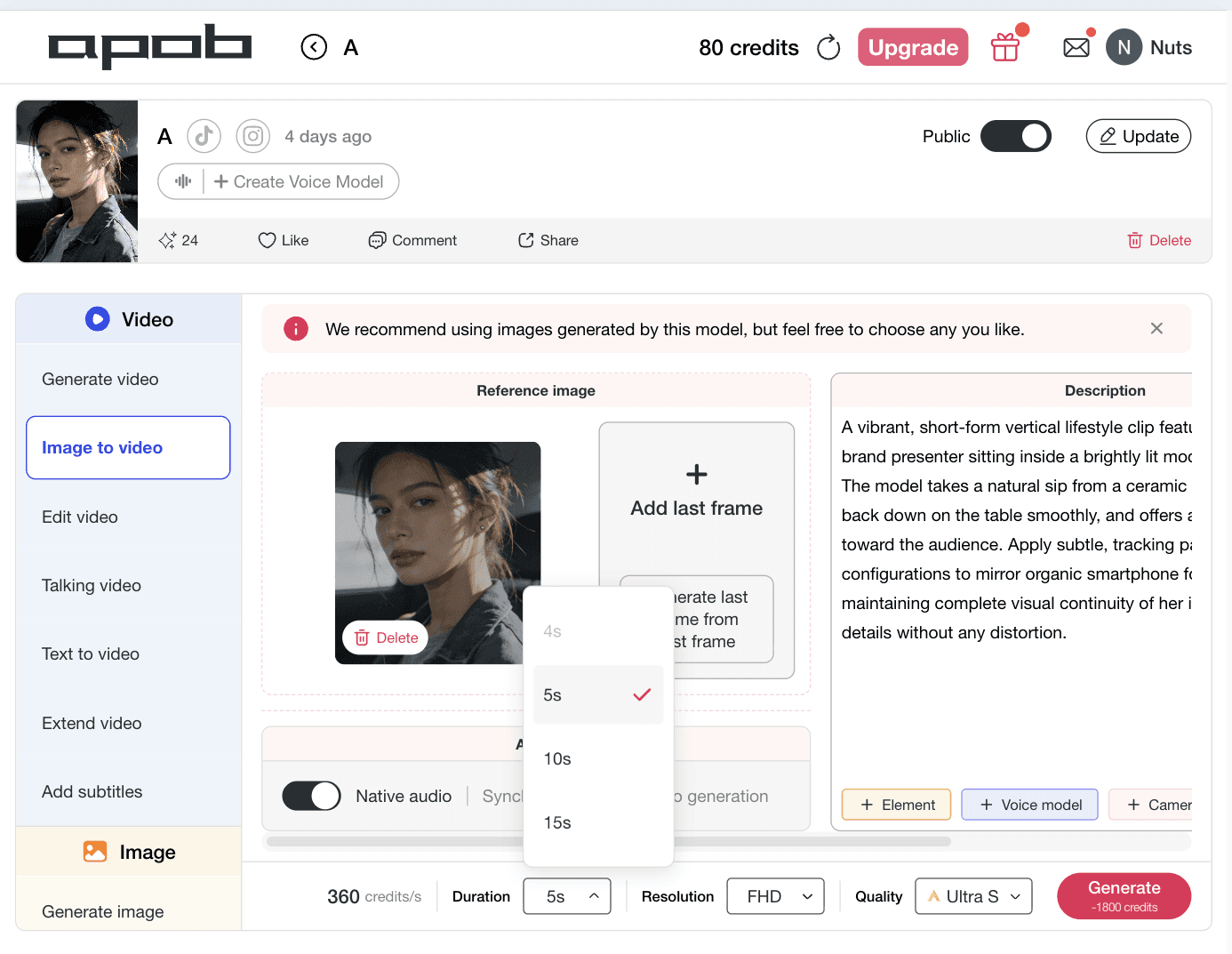
To craft hyper-engaging viral creative without technical rendering friction, creators must lock down their clip pacing parameters. Defining your time boundaries before initiating a render ensures that hand gestures, body language, and audio structures align naturally. This strategic setting prevents structural distortion or unnatural movement pacing, maximizing the accuracy of your chosen motion control AI video generator.
How to do it: Look at your timeline controls as illustrated. In the bottom configuration bar, click the Duration selector block to reveal the processing options menu (offering modular segments like 4s, 5s, 10s, or 15s). Select your target clip length—such as the verified 5s profile—to map out your short-form asset grid perfectly. Review your descriptive testing prompt in the right column, where complex AI character animation behavioral vectors are outlined.
Step 5: Select Resolution and Finalize Advanced Camera Constraints
To achieve maximum organic distribution and click-through rates across competitive ad networks, you must format your visual layout to fit platform specifications. Selecting your definition metrics prior to rendering keeps micro-textures sharp, prevents compression blur, and ensures your branding details remain legible on small screens. This configuration ensures your motion control AI video generator delivers crisp, professional assets.
How to do it: Navigate to the lower workspace settings menu as illustrated. Click on the Resolution selection block to expand the format dropdown panel (featuring targeted output tiers like 720P for fast concept validation, FHD for standard cross-channel campaigns, or QHD for high-fidelity assets). Click the FHD option to match standard vertical mobile screens. Finally, click the bright pink [Generate] button to activate the Kling 3.0 Motion Control backend engine, rendering a highly precise, social-ready marketing asset.







1. Cinematic Camera Automation for Direct-Response Ad Layouts
Bypass the steep learning curves of legacy animation rigs and complex spatial keyframes. Our comprehensive motion control camera panel puts standard studio moves right into your browser dashboard. Marketers can instantly inject complex directional motion—including programmatic zoom, pan, orbit, dolly, tilt, tracking, or locked camera layouts—by clicking clear directional buttons. This direct camera command lets you build high-converting vertical hooks, smooth product reveals, and cinematic scene transitions optimized specifically to arrest attention spans on short-form video networks.
2. Identity-Locked Character Animation with Zero Visual Drift
The biggest bottleneck in video scaling is losing your model's unique facial features during rapid motion or multi-angle transitions. Built directly on advanced architecture, the Kling 3.0 Motion Control engine guarantees hyper-stable face-locking across complex choreography. Whether your character executes a sudden turn, reacts with intense facial expressions, or moves closer to the lens, their facial symmetry and core identity layers remain perfectly intact. This enables serious creators to run long-term, highly recognizable social media campaigns with complete brand safety.
3. Granular Brush Path Customization for Absolute Creative Authority
Stop letting unpredictable algorithms dictate how your elements move. The integrated Motion Brush framework gives you surgical control over specific image regions and movement trajectories. Simply highlight the clothing fabric, product packaging, or a model's hair, and sketch your desired movement vector. This granular approach turns your workflow into an active motion control AI video generator, giving you the power to direct complex visual flows, manage asset interactions, and frame highly technical ad concepts without picking up a manual masking tool.
AI Influencer Motion Videos
Turn a still AI influencer image into a dynamic performance video with Kling 3.0 Motion Control. Upload a reference video to guide body movement, hand gestures, facial expressions, and pacing, while APOB AI helps preserve the same digital persona across each shot. Perfect for creators who want dance clips, lifestyle vlogs, reaction videos, or social-first AI influencer content without filming a real model. (Kling 3.0, 2026)
Short-Form Video Hooks for TikTok, Reels, and Shorts
Use Kling 3.0 Motion Control to choreograph stronger 3-second hooks, faster transitions, zoom-ins, orbit shots, and handheld-style camera movement. APOB AI can help creators turn static character images into high-energy short videos built for mobile attention, where motion rhythm matters as much as image quality. (AI video tools build for media platforms, 2026)
Talking Avatar and Virtual Spokesperson Videos
Combine motion control with talking avatar workflows to make an AI spokesperson feel more natural on screen. Use reference video motion transfer for gestures and posture, then pair it with script delivery, product explanation, or direct-response ad copy. This is ideal for brand explainers, app demos, ecommerce offers, and AI influencer video campaigns. (Kling 3.0 audiovisual generation)
No Credit Card Required
Customize Every Detail with Full Creative Control
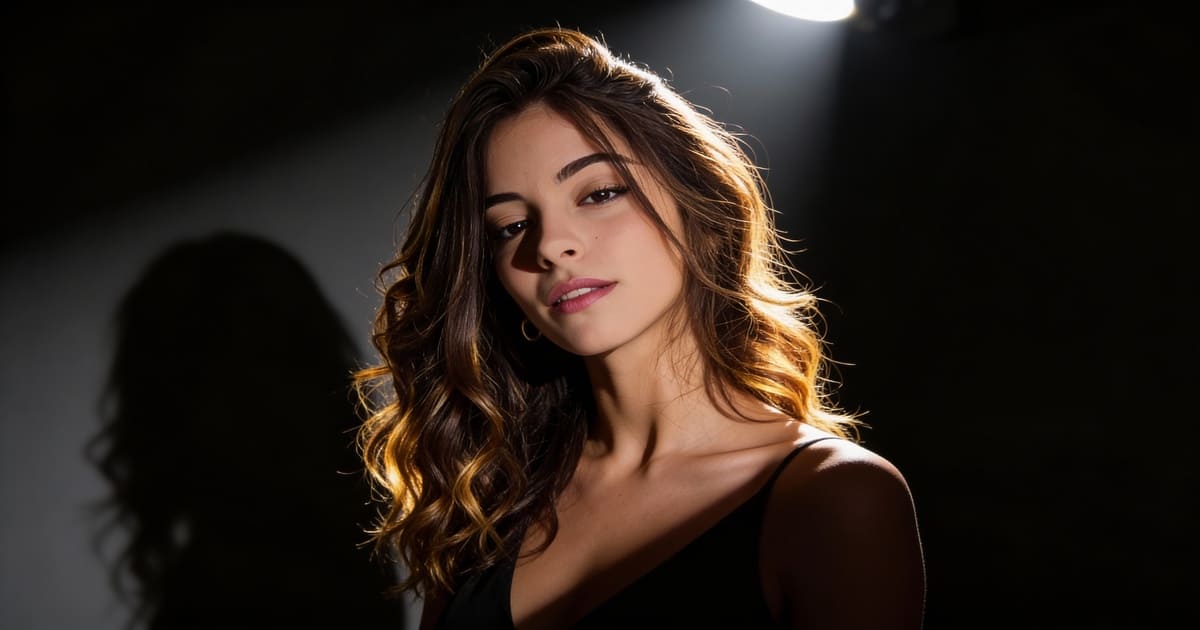
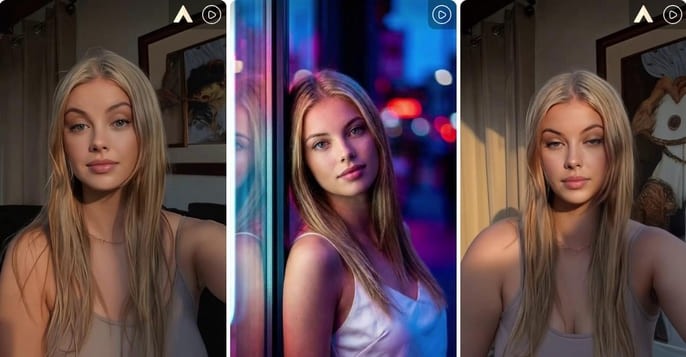
Building an authentic digital presence requires distinct branding that standard stock media simply cannot deliver. With this powerful AI influencer generator, you command the exact visual identity, aesthetic tone, and messaging parameters of your digital persona. Our platform lets you customize specialized facial characteristics, wardrobe styles, and situational backgrounds, while also pairing your character with a synchronized talking avatar voice engine. This granular control allows you to shape a unique consistent AI character tailored specifically to your audience's niche, ensuring your virtual creator aligns perfectly with your brand identity across all media formats.
Test and Scale Risk-Free with Free Daily Credits
Launching a new social channel or testing an unproven audience angle shouldn't demand heavy upfront financial commitments. APOB AI operates as a Free AI Influencer Generator that replenishes your account with 80 free usage credits every single day. If you are a social media growth marketer or independent creator focused on generating high-converting AI influencer photos to attract organic followers, this daily allowance gives you ample runway to test different concepts completely free. You can iterate on hooks, refine visual styles, and establish your posting schedule before spending a dollar on high-volume production tiers.
Deploy Multiplatform-Ready Content Contextualized for Global Channels
To win the attention economy, your virtual brand presenter must natively adapt to where your target demographics gather. APOB AI functions as a versatile AI influencer video generator engineered to seamlessly export platform-optimized layouts across all top monetization networks. Whether you need vertical 9:16 files to scale organic views on TikTok, Instagram Reels, and YouTube Shorts, standard posts for fan-funding portals like OnlyFans, or high-converting UGC-style AI influencer ads for paid media feeds, our system processes every frame flawlessly. You can even configure your model to act as an automated chatbot companion, multiplying your fan engagement loops on a 24/7 basis.
Optimized for Digital Workflows and Multi-Platform Campaigns
While a consistent AI influencer built through our dashboard cannot physically show up to live in-person PR events or walk a traditional real-world runway, this digital-first profile is precisely what gives performance marketers an unfair edge. By operating entirely within software matrices, your unique AI avatar influencer completely bypasses the real-world operational issues that plague traditional creator management—such as talent scheduling conflicts, costly travel budgets, content fatigue, and legal image rights complications. This allows brands and digital agencies to scale automated AI influencer videos, deploy localized UGC-style AI influencer ads, and systematically dominate social channels without ever hitting a physical production bottleneck.
Structured Usage Allocations Designed for High-Volume Pipelines
To keep our visual engine highly accessible to independent creators, APOB AI provides a functional Free AI Influencer Generator tier supported by a recurring allotment of 80 processing credits every single day. While digital creators building organic AI influencer photos for account growth find this daily baseline completely sufficient for continuous social media posting, professional agencies or e-commerce teams scaling aggressive, multi-shot product promotion campaigns will rapidly outpace the complimentary tier. For performance teams who need to generate hundreds of distinct ad variations, custom talking avatar angles, and deep content splits simultaneously, our scalable premium subscriptions remove output caps to keep high-velocity content production moving forward.
What is an AI influencer generator?
An AI influencer generator helps you create a virtual character for social media, ads, and branded content using AI-generated images and videos. With APOB AI, you can build a reusable AI influencer persona for posts, short videos, product promotions, UGC-style ads, and brand campaigns.
Is this AI influencer generator free?
Yes. APOB AI gives you 80 free processing credits automatically every day. You can use these credits to generate AI influencer photos, test different looks, or create short-form content. Premium plans are also available for users who need higher volume, faster rendering, or more advanced content production.
How is an AI influencer generator different from an AI avatar generator?
An AI avatar generator usually focuses on creating a face or character image, while an AI influencer generator is built for creating a consistent persona you can use across posts, videos, and campaigns. APOB AI helps you create not only a virtual face, but also reusable influencer-style content for social media, ads, and brand storytelling.
Can I create an AI influencer without uploading my own photo?
Yes. You can create an AI influencer from scratch by describing the character’s appearance, style, niche, and personality. You can also upload a reference image if you want more control over the final look. This makes APOB AI useful for creators, brands, and teams who want to build a virtual influencer without showing their own face.
What kind of persona can I build with this AI influencer generator?
You can create AI influencers for fashion, beauty, fitness, travel, gaming, tech, wellness, e-commerce, education, and entertainment. Each virtual influencer can have a unique look, personality, wardrobe style, lifestyle background, and content direction that matches your target audience and brand identity.
Can I create more than one AI influencer for different niches?
Yes. APOB AI allows you to create multiple AI models for different brands, audiences, and content strategies. For example, you can create a fashion influencer for Instagram, a gaming creator for YouTube, a wellness coach for TikTok, or a virtual product model for e-commerce campaigns.
Can I create the same AI influencer consistently across multiple posts?
Yes. APOB AI allows you to keep the same face, style, and identity across new images and videos instead of generating a different character every time. This helps your virtual influencer stay recognizable across social media posts, paid ads, product visuals, and long-term brand campaigns.
How do I keep the same AI influencer face in every image?
After creating your AI influencer model, you can reuse it in future generations by selecting the saved model or mentioning it in your prompt. APOB AI helps maintain the same facial identity and character consistency across different scenes, outfits, poses, and creative formats.
Can I update my AI influencer after creating it?
Yes. You can adjust or update your AI influencer’s profile, style, and creative direction as your brand or campaign changes. This makes it easier to keep the same character while refreshing outfits, scenes, visual themes, and platform-specific content.
Do I need technical production or editing skills?
No. APOB AI is designed for creators, marketers, and brands without technical production experience. You can create AI influencer photos, videos, and talking avatar content using prompts, model selection, upload tools, and simple generation settings without using complex editing software or writing code.
What prompts work best for AI influencer photos?
The best prompts usually include the influencer model, outfit, scene, pose, lighting, camera style, mood, and platform use case. For example: “@Lila wearing a white blazer in a modern apartment, natural daylight, realistic skin texture, lifestyle photography, Instagram post.” More specific prompts usually produce more controlled and campaign-ready results.
What aspect ratio should I use for AI influencer content?
For TikTok, Instagram Reels, and YouTube Shorts, a vertical 9:16 format is usually the best choice. For Instagram feed posts, 1:1 or 4:5 works well. For website banners, ads, and product pages, you can choose wider or custom formats depending on the campaign layout.
Can I turn an AI influencer photo into a video?
Yes. APOB AI supports image-to-video generation, allowing you to turn a still AI influencer image into short-form video content. This is especially useful for TikTok, Instagram Reels, YouTube Shorts, product demos, fashion showcases, and UGC-style ad creatives.
Can I make my AI influencer talk?
Yes. You can create talking avatar content and lip-sync videos with your AI influencer. This allows your virtual influencer to introduce products, deliver scripts, explain offers, create social videos, or appear as a reusable brand spokesperson.
What can my virtual influencer do for my brand?
Your customized AI influencer can act as a reusable brand presenter and multi-platform content engine. It can model apparel, introduce products, appear in promotional videos, support UGC-style ads, and create consistent campaign visuals without requiring physical studios, human model bookings, or repeated content reshoots.
Can e-commerce brands use AI influencers for product photos?
Yes. E-commerce brands can use AI influencers to showcase clothing, beauty products, accessories, lifestyle items, digital products, and seasonal campaigns. A consistent virtual model can help brands produce product visuals faster and test different creative directions before investing in larger campaigns.
Can I use AI influencers for UGC ads?
Yes. APOB AI can help you create UGC-style ad content without booking a physical shoot. You can generate influencer-style product photos, talking videos, testimonials, hooks, and short promotional clips for paid social campaigns. Always make sure your final ad follows the platform’s advertising and disclosure policies.
Can I use AI influencers for real brand collaborations?
Yes. AI influencers can be used for brand collaborations, product promotions, social campaigns, and creator-style marketing. A consistent AI influencer can showcase apparel, introduce products, appear in TikTok ads, or support campaign visuals while giving brands more control over scheduling, style, and creative direction.
Can I use an AI influencer for paid ads?
Yes. You can use AI influencer content for paid ads, product promotions, social campaigns, and branded visuals, as long as your use follows APOB AI’s terms and the policies of the advertising platform. For best results, create multiple variations and test different hooks, formats, and visual styles.
Who owns the rights to the generated commercial assets?
You can use the media assets you create with APOB AI for commercial projects, including brand content, paid ads, e-commerce visuals, social media campaigns, and creator-style marketing. For specific usage rights, restrictions, or compliance requirements, users should review APOB AI’s current terms of service before publishing or licensing generated content.
Do I need to disclose that my influencer is AI-generated?
Disclosure requirements depend on the platform, region, and type of content. In general, it is a good practice to be transparent when AI-generated influencers are used in ads, sponsored content, endorsements, or realistic media. Brands should review the rules of each platform and follow local advertising guidelines.
Can I monetize an AI influencer?
Yes. Common monetization paths include sponsored posts, affiliate content, fan content, virtual modeling, product promotion, UGC-style ad production, and creator-style brand partnerships. Results depend on your niche, audience strategy, content quality, and distribution channels.
How much revenue can a virtual influencer generate?
Revenue depends on your audience niche, platform growth, content quality, engagement rate, and monetization model. Some established virtual influencers have secured high-value brand partnerships, but results vary widely. APOB AI helps you build consistent visual content and campaign assets, which can support sponsorships, ads, affiliate offers, and product promotions.
Can I deploy my AI influencer across multiple platforms?
Yes. APOB AI can help you create content for TikTok, Instagram, YouTube Shorts, Meta ads, e-commerce pages, websites, and other digital channels. You can create vertical videos, square posts, portrait visuals, and promotional assets while keeping your AI influencer recognizable across platforms.
Can I use APOB AI for TikTok, Instagram Reels, and YouTube Shorts?
Yes. APOB AI supports vertical content formats that work well for TikTok, Instagram Reels, and YouTube Shorts. You can create influencer-style images, talking videos, product clips, and short promotional assets designed for social media publishing.
How many AI influencer images should I generate for one campaign?
It depends on your campaign goal, but generating multiple variations is usually recommended. You can test different poses, backgrounds, outfits, hooks, and product placements, then choose the best-performing visuals for organic posts, ads, landing pages, or e-commerce creatives.
Can agencies use APOB AI to create influencers for multiple clients?
Yes. Agencies can create and manage multiple AI influencer models for different client niches, campaign styles, and brand identities. This helps teams produce repeatable visual content for social media, paid ads, product launches, and creator-style campaigns without rebuilding a character from scratch every time.


